
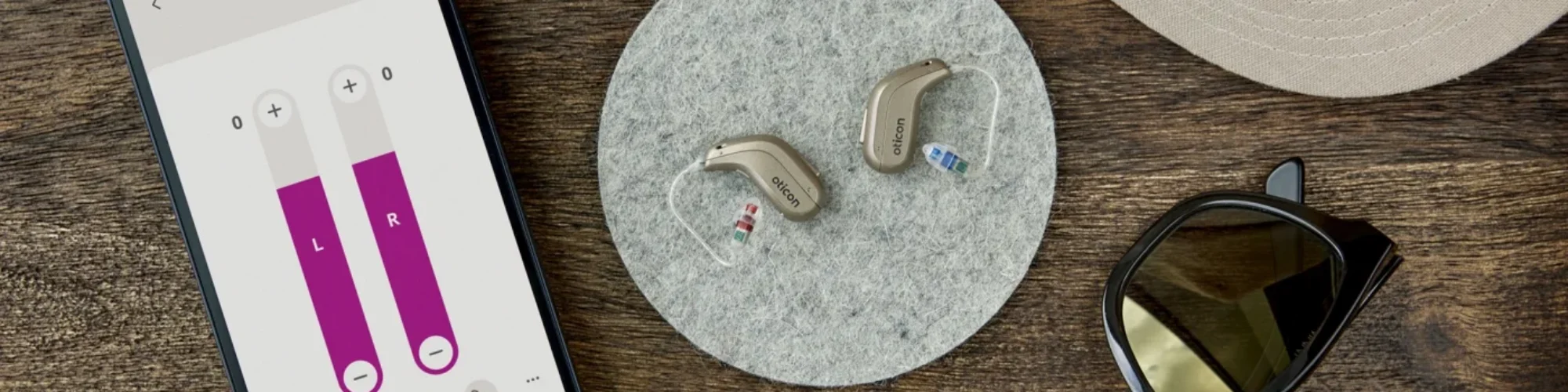
Connect to your world with Bluetooth® hearing aids
With our latest hearing aid, Oticon Intent™ the convenience of two-way hands-free communication from select Android™ devices and select Mac®, iPhone® and iPad® devices is now available.
Oticon Real™, More™, Zircon, Own™*, and Play PX, feature two-way hands-free communication from select Mac, iPhone and iPad devices and direct streaming from select Android devices.
Other Oticon hearing aids with Bluetooth® Low Energy capability are made for iPhone and iPad, allowing you to stay connected to your friends and family wherever you may be.
New advancements in Oticon wireless technology now make it even easier and more enjoyable for you to connect to the people and activities in your world. With Oticon hearing aids, you experience clear, high quality sound, free from unwanted noise. Read on to learn about additional connectivity possibilities with Oticon hearing aids.
To check if your phone has streaming capabilities with Oticon hearing aids, please scan this QR code with the camera on your phone:

Oticon app updates
The Oticon Companion app is ready for installation in the app and play store.
Oticon Companion—compatible with iOS 17
The Oticon Companion app gives you support, personalisation, control, and remote care all in one app, and we’re constantly working to improve compatibility and your app experience.
Features
- Adjust volume
- Switch programs
- Check the battery level
- Find your hearing aid feature
- Make adjustments to streamed sounds via the Streaming Equaliser
- Access counseling advice
- Find your user instructions

Some features are hearing aid model specific
If you are unable to see certain features in your Oticon Companion app, that is because some functionality is only available for specific models and firmware versions:
- Sound equaliser, Hearing Fitness & Volume persistence are only available with Oticon Intent and Real hearing aids.
- To use Sound equaliser with Oticon Real hearing aids, you will need firmware 1.1.0—please contact your hearing care professional to get the latest firmware update.
Download the Oticon Companion app by clicking the icons below.


Hands-free communication using your hearing aids
To use Oticon Bluetooth hearing aids as a wireless headset, you simply connect your hearing aids wirelessly to select Mac, iPhone and iPad devices and select Android devices. Then you can make or receive phone and video calls.
You will be able to hear the other people on your calls directly in your hearing aids, while your voice will be captured by microphones in your hearing aids, so everyone on the call can hear you.